FREE UK delivery on orders of £200 or more
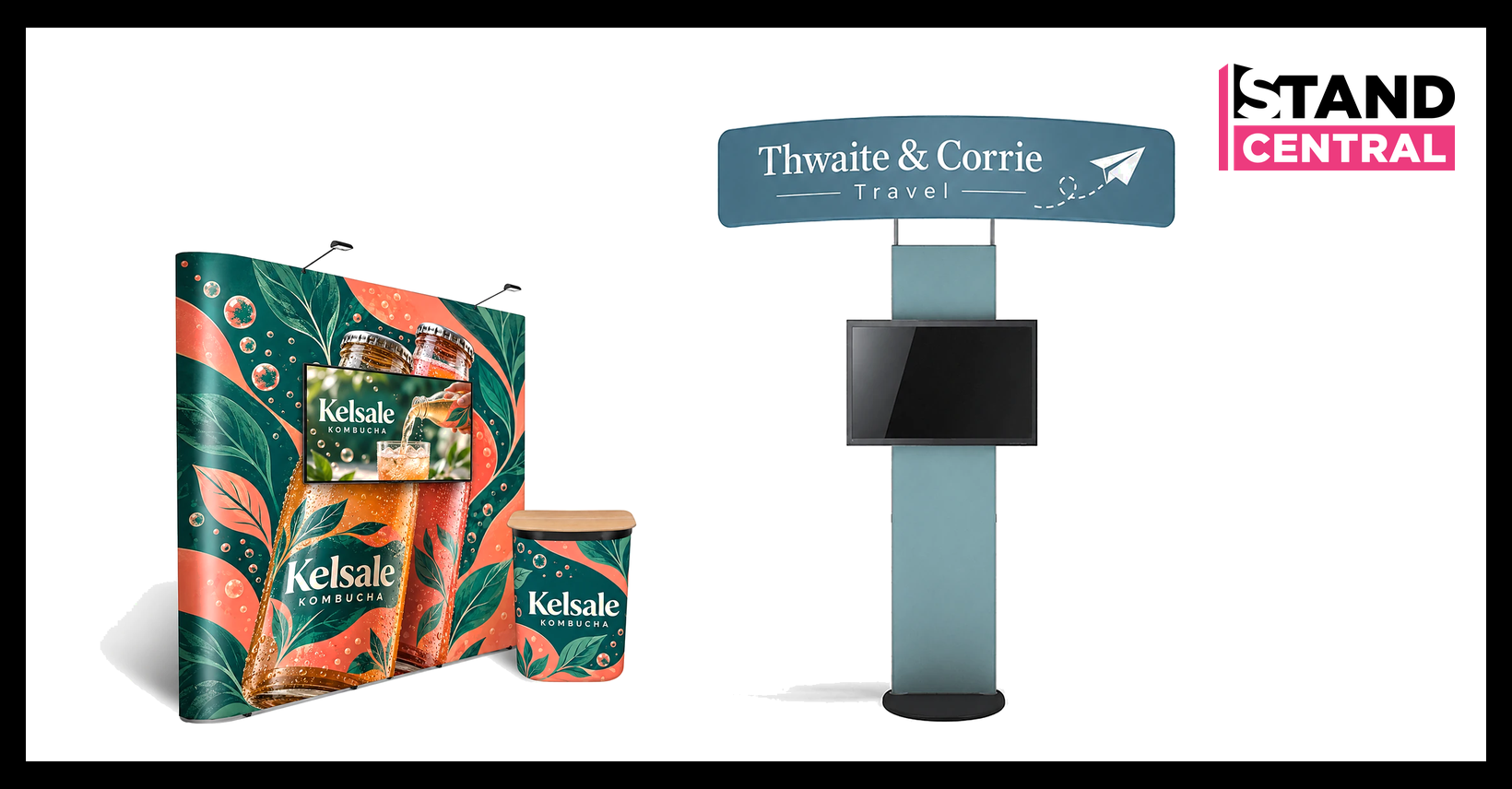
The best exhibition stand for a TV screen is one with the screen mount built in, sized for the TV you already own. For a 3m wide space that means a pop up stand with an integrated TV bracket, such as the Vision 3x3, which takes a 20 to 50 inch screen. For a bigger stand or a tech show, a Fastframe modular stand with its screen mount kit holds up to a 65 inch screen. If you only have a small or shell scheme space, a freestanding TV display stand like the Standroid holds the screen without touching any walls.
Below I go through each option, what screen it takes, its weight limit and what it costs, so you can match the display stand to your TVs and your space, whether you exhibit once a year or at several trade shows. Prices are live Stand Central prices, ex VAT, checked on 8 November 2026, and every size and weight limit comes from the product page.
Quick picks for a TV screen on your exhibition stand
If you want the short answer, the table below pairs each type of stand with the screen it takes and the starting price.
| Option | Screen it takes | From |
|---|---|---|
| Vision pop up TV stand 3x3 | TV bracket for a 20 to 50 inch screen, case converts to a counter | £1,254.95 ex VAT |
| Quick+ or Impact pop up stand with a screen mount | Screen up to 540mm and 5kg, VESA 50, 75 or 100 | £675.85 ex VAT (Quick+ 3x3, mount and feet) |
| Standroid monitor stand | Stands on its own, 24 to 46 inch screen, up to 22.7kg | £674.95 ex VAT |
| Fastframe screen mount kit | Fits a 1000mm Fastframe arch, 26 to 65 inch, up to 10kg | £134.95 ex VAT |
| Fastframe 15m² stand with screen mount | Storeroom, counter, LED lights and screen mount kit | £5,403.95 ex VAT |
| Glopix monitor bracket | For the 1000mm Glopix lightbox, up to 32 inch and 6.8kg | £57.95 ex VAT |
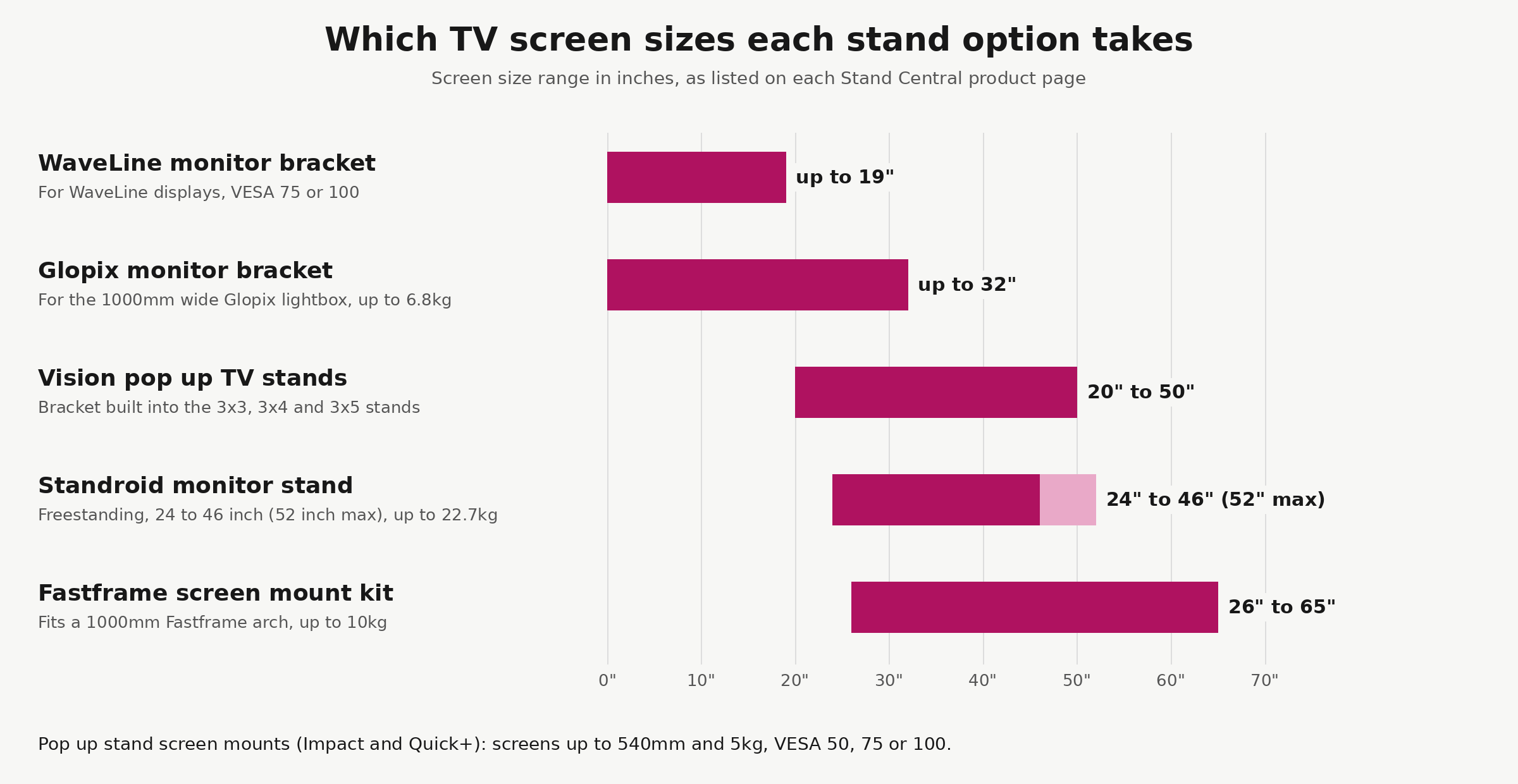
The chart shows the main thing to settle first. Small brackets suit a screen up to 19 or 32 inches, the TV stands in the middle take a normal 40 to 50 inch TV, and only the Fastframe mount goes up to 65 inches.
Best pop up stands with a built-in TV stand for a 3m space
For a 3m x 3m space, the Vision straight pop up TV stand 3x3 is the one I would pick. The TV bracket is part of the stand, takes a flat screen from 20 to 50 inches, and the frame builds without tools. The straight 3x3 is 2.7m wide, 2,240mm tall and only 306mm deep, so it takes very little floor space, and the printed wall gives the screen a full backdrop. It costs £1,254.95 ex VAT.
Best for: a 3x3 or 3x4 stand where the screen is the centre of the backwall and you want one kit that does the lot.
What you get with it matters as much as the bracket. The aluminium scissor frame is easy to assemble, the graphic panels fix on with magnetic strips, and the graphics are UV printed in full colour on PVC, fire rated to B1. Two LED lights come with it, and the wheeled transport case turns into a counter with its own printed wrap. The frame has a 5 year warranty and the TV bracket a 1 year warranty.

The same stand comes curved and in wider sizes. The Vision curved 3x3 is 2.54m wide for the same £1,254.95 ex VAT, the 3x4 costs £1,329.95 ex VAT and the Vision straight 3x5 is 4.17m wide for £1,479.95 ex VAT. All of them take the same 20 to 50 inch screen.
- Choose the straight version if the stand runs along the back of the space and the screen faces straight down the aisle.
- Choose the curved version if you want the curve of the wall to wrap around people standing in front of the screen.
Adding a screen mount to the pop up stands you already own
If you already own a Quick+ or Impact pop up stand, you do not need a new one. A screen mount for straight pop up stands (or the curved version) is made for them and costs £108.95 ex VAT. It holds the screen on the front of the backwall and takes one up to 540mm and 5kg, with a VESA 50, 75 or 100 fixing, so it suits a lightweight monitor for a looping promotional video rather than a big TV.
Best for: an exhibitor who already has the frame and wants a small screen for a product video or slides.
Add a pair of pop up stand stabilising feet (£55.95 ex VAT). The product page recommends them for any pop up that carries a screen, and they stick out about 185mm from the frame. Bought new, a Quick+ pop up stand 3x3 single-sided costs £510.95 ex VAT and an Impact pop up stand 3x3 £539.95 ex VAT, so a Quick+ with the mount and feet comes to £675.85 ex VAT. If you also want a counter and lights, the Quick+ bundle 3x3 straight with counter and lights is £757.95 ex VAT before the mount.
Best freestanding TV display stand for a small floor space or shell scheme
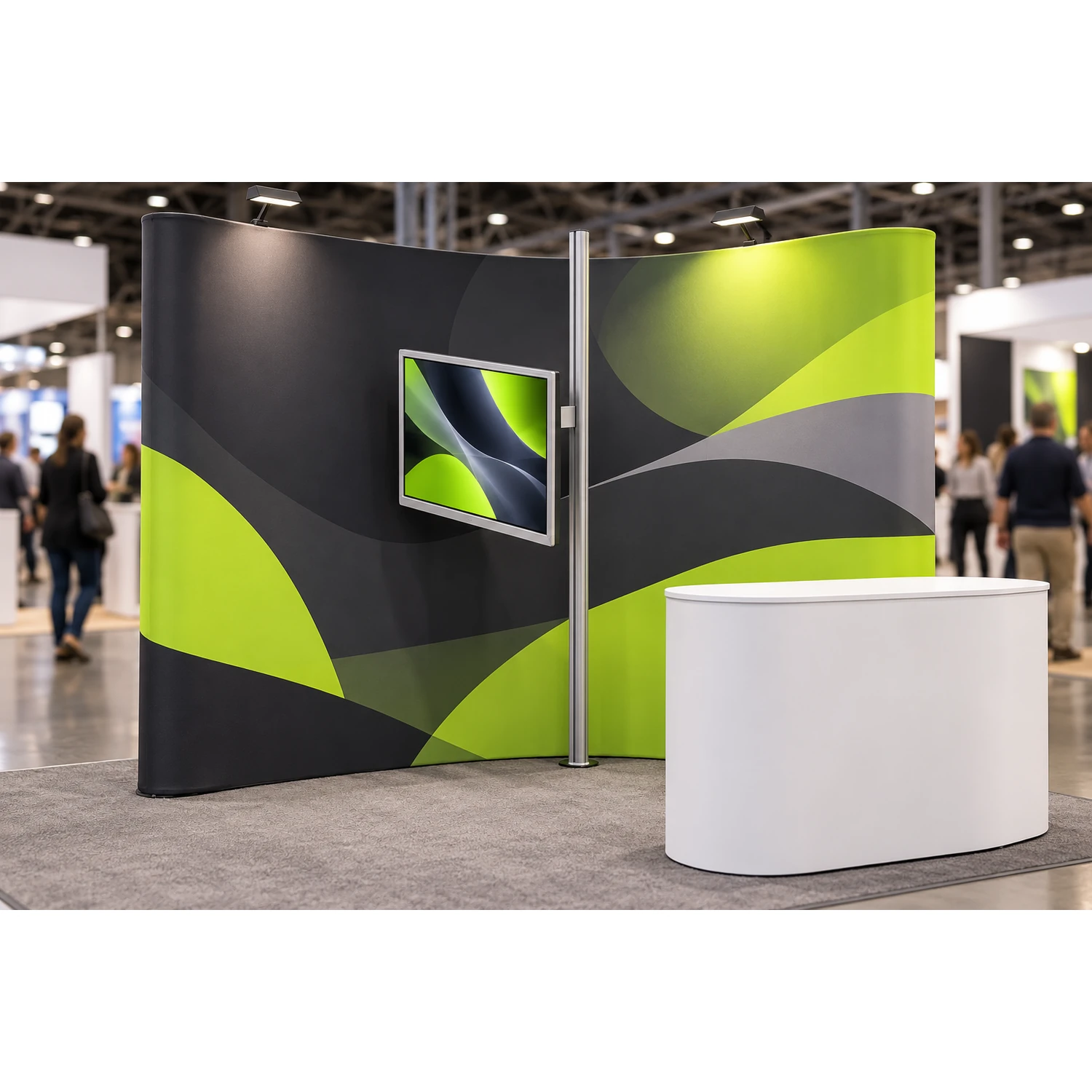
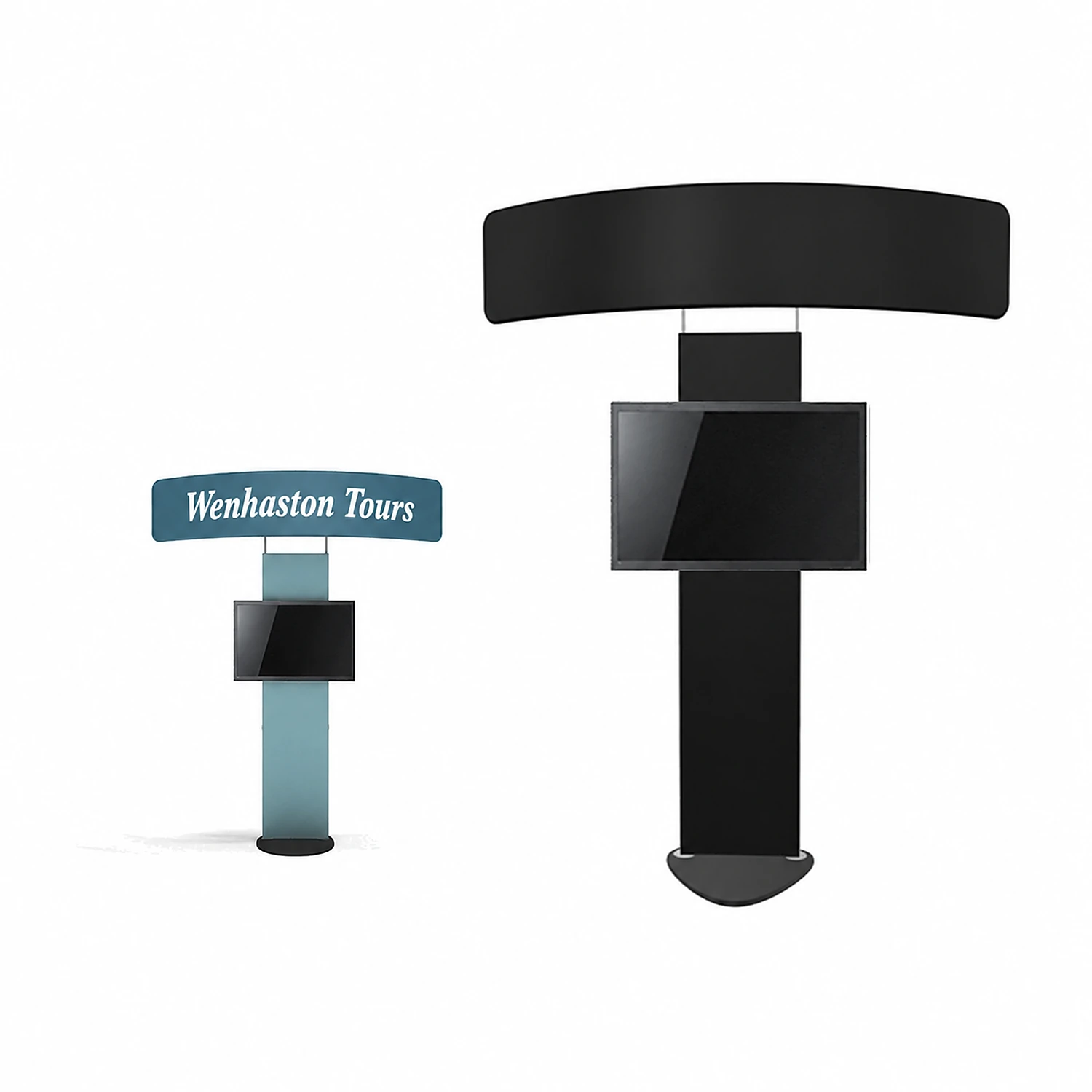
If the screen needs to stand on its own, the Standroid monitor stand is the TV display stand to look at. It holds a 24 to 46 inch screen (52 inches at most) up to 22.7kg on a heavy wooden base, and the height adjusts, so you can set the screen where people see it over a counter. It costs £674.95 ex VAT.
Best for: a shell scheme or small space where you cannot fix anything to the walls, or as a second screen beside an existing stand.
Cables run behind its printed fabric graphic, there is a header on top for your logo, and it travels in a wheeled case that turns into a counter. The product page says it takes about 15 minutes for two people to put up. If your stand is a WaveLine tension fabric backwall, a WaveLine monitor bracket (£33.95 ex VAT) mounts a screen up to 19 inches on the display instead.
Best reusable modular stand for a large TV screen
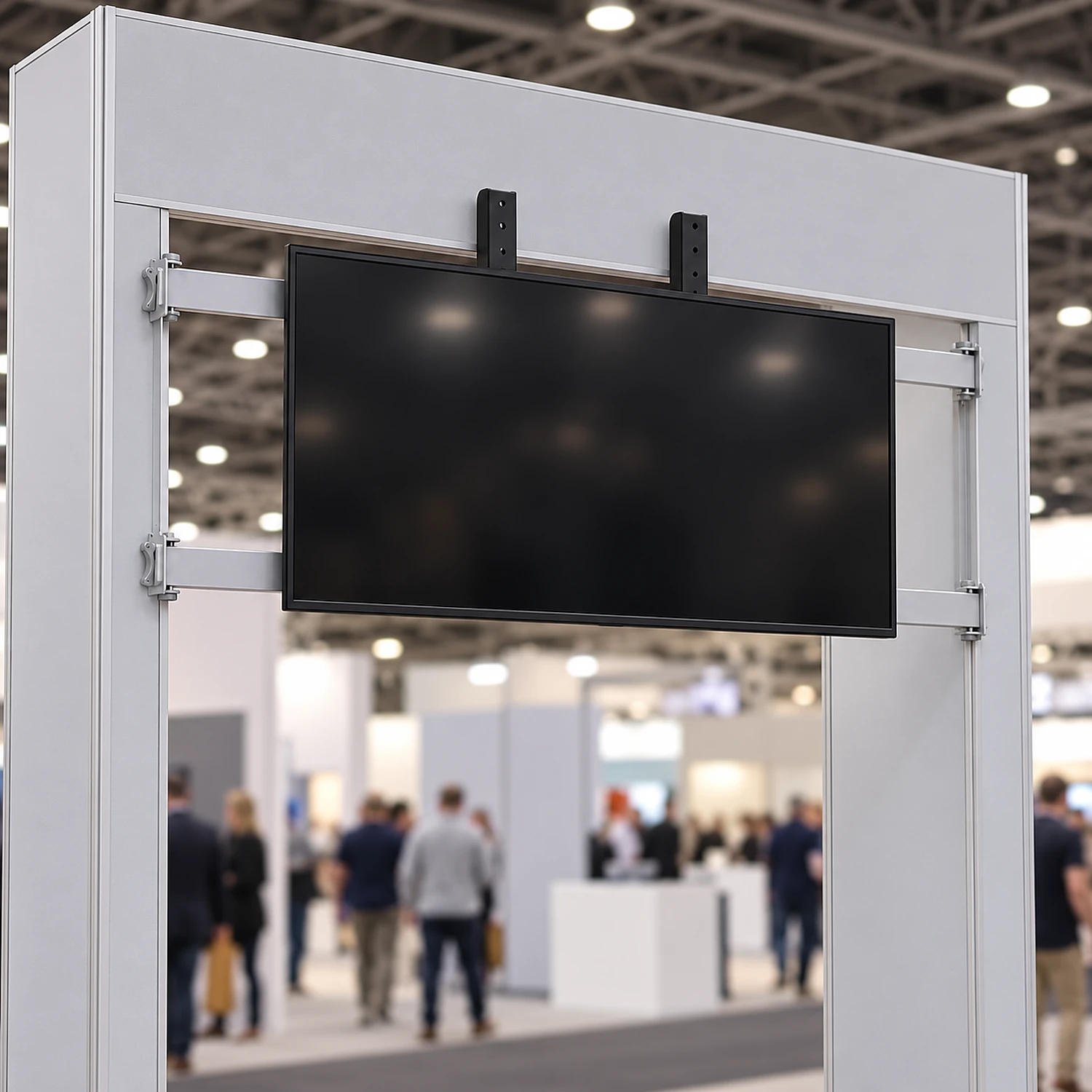
For a screen over 50 inches, go modular. The Fastframe screen mount kit fits a 1000mm wide Fastframe frame set up as an arch and holds a screen from 26 to 65 inches, up to 10kg, for £134.95 ex VAT. It takes VESA 200 x 200, 200 x 400, 300 x 300 and 400 x 400 fixings, fits without tools, and packs small enough to go in a standard display case.
Best for: a bigger screen, or a stand you will reuse and extend with more frames later, since modular systems like Fastframe let you change the layout from show to show.
Two of our modular exhibition stands already include it. The 15m² Fastframe stand (£5,403.95 ex VAT) and the 24m² Fastframe stand (£6,261.95 ex VAT) come with the screen mount kit, a storeroom door, a printed counter and three pairs of LED arm lights, on 2.4m tall walls with 40mm aluminium frames and fabric graphics. Check your screen’s weight against the 10kg limit as well as its size, because bigger TVs are heavier. Before you order the mount on its own, also check two things on the product page: it only fits 1000mm wide frames used as an arch, and it does not fit Fastframe LED lightboxes.
For a 3m x 6m space there is a middle option. The 3m x 6m exhibition stand kit with a TV stand (£3,497.95 ex VAT) puts three fabric walls, a backlit counter, shelving, LED lights and a TV stand together in one kit.
The best exhibition stand for a tech show
The best exhibition stand for a tech show is one that holds a big screen at eye height and leaves open floor for live demos, which usually points to a modular stand with a screen mount and a storeroom. At trade shows like these the visual on the screen often carries the demo, a software walkthrough or a looping product video, so it needs to be large enough to read from the aisle.
Best for a tech show: the Fastframe 15m² stand, because the storeroom keeps laptops, chargers and spare kit out of sight, and the 65 inch mount handles a large demo screen.

If your tech show space is a 3x3, the Vision pop up TV stand does the same job on a smaller scale, and a Standroid makes a good second screen for a demo station at the front of the stand. A few things to plan for the demo itself:
- Put the screen at the side of the stand that faces the busiest aisle, so people walking past see it first.
- Keep the floor in front of the screen clear for the person giving the demo and two or three visitors.
- Plan where the laptop or media player sits. A counter shelf or the storeroom keeps cables and spares out of the way.
- Add a roller banner at the front corner if you need a second message, since banner stands take very little floor space.
Which TVs fit, by screen size, weight and VESA fixing
Check three numbers on your TV before you choose a stand: the screen size in inches, the weight without its own feet, and the VESA hole pattern on the back. Height and width matter too if the screen sits between graphics. Every mount above lists all three, and a screen outside any one of them will not fit.
- Screen size. Up to 32 inches suits a bracket, 40 to 50 inches a Vision stand or the Standroid, and 55 to 65 inches the Fastframe mount.
- Weight. The pop up screen mount takes 5kg, the Glopix bracket 6.8kg, the Fastframe kit 10kg and the Standroid 22.7kg. Check the weight your TV maker gives for the screen without its stand.
- VESA pattern. The pop up screen mount takes VESA 50, 75 or 100 and the WaveLine bracket 75 or 100, while the Fastframe kit lists 200 x 200 up to 400 x 400. Measure the holes on the back of your screen.
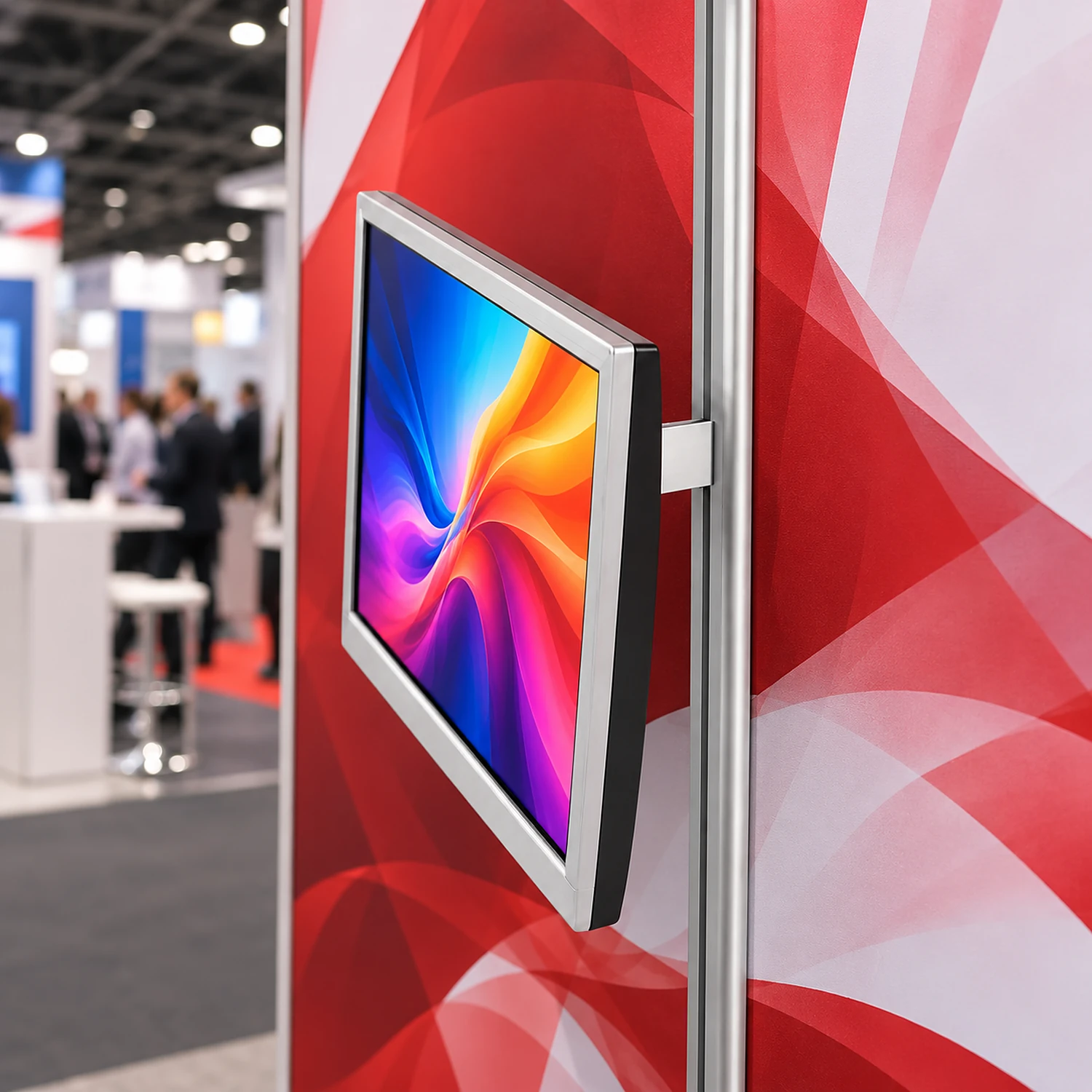
If you already have a Glopix monitor bracket in mind for a backlit lightbox, note that it fits the 1000mm wide Glopix lightbox only, takes a screen up to 32 inches and 6.8kg, and needs two 20 inch side locked feet for stability. All our TV and monitor options, brackets included, are listed under exhibition TV stands.
Power, lighting and a visual layout around the screen
The screen needs power, and the organiser’s exhibitor manual tells you how to order it at that show. As our exhibition fire safety research found, manuals often add their own safety rules and a section on electrical installations. Ask for the socket close to where the screen will sit, so no cable has to cross the floor.
Plan the lighting and artwork around the screen. If your stand has arm lights, point them at the graphic rather than the screen, so they do not reflect off it. Leave the area behind and around the screen free of small text, because nobody can read it once a TV is fixed over it, and put your logo and brand message above the screen where it is still visible when people stand in front.
Every order includes FREE artwork design or proofing. Our design team can lay out the graphic around the screen position, or check your own print-ready files against our artwork guidelines. Printed and dispatched within 5 days with express options available.
Choosing the best exhibition stand for a TV screen
Choose by your space first and your screen second. Here is how I would decide:
- 3m x 3m space, one TV up to 50 inches. A Vision pop up TV stand, straight or curved.
- You already own a Quick+ or Impact stand. Add a screen mount and stabilising feet, for a screen up to 540mm and 5kg.
- Shell scheme or no walls to fix to. The Standroid freestanding TV display stand.
- Screen over 50 inches, or a tech show. A Fastframe stand with the screen mount kit.
- 3m x 6m space. The 3m x 6m kit with its TV stand, or a Fastframe stand if you want room to grow.
If you are still deciding between the two frame types, our guide to pop up stands vs modular stands compares them in more detail, and if this is your first show, start with the best exhibition stand for your first trade show.
How we compared
This is a desk comparison of published product data. We compared the screen size range, maximum screen weight, VESA fixings, stand size and price listed on each Stand Central product page, with prices checked on 8 November 2026. Venue power and electrical points come from show exhibitor manuals as covered in our fire safety research.
Frequently asked questions
Can you get a pop up stand with an integrated screen?
Yes. The Vision pop up TV stands have the TV bracket built in and take a 20 to 50 inch flat screen. They come straight or curved in 3x3, 3x4 and 3x5 sizes, from £1,254.95 ex VAT, with a case that converts to a counter.
Can I add a monitor mount to my pop up stand?
If it is a Quick+ or Impact pop up stand, yes. The screen mount for straight or curved pop up stands costs £108.95 ex VAT and holds a screen up to 540mm and 5kg, with a VESA 50, 75 or 100 fixing. Add stabilising feet for extra support.
What is the largest TV I can put on an exhibition stand?
In our range, the Fastframe screen mount kit takes the biggest screen, from 26 to 65 inches and up to 10kg, on a 1000mm wide Fastframe arch. The Standroid freestanding stand goes up to 52 inches and 22.7kg, and the Vision pop up TV stands take up to 50 inches. Check the weight limit as well as the size.
Is the TV included with the stand?
No. The stands and mounts in this guide hold your own screen. The Standroid and WaveLine bracket pages say the monitor is not included, so check your TV’s size, weight and VESA pattern against the product page before you order.
Do I need power for a screen at a trade show?
Yes. Your exhibitor manual explains how to order power at that show, often in its section on electrical installations. Book it before the manual’s deadline and ask for the socket near where the screen will go, so no cable crosses the floor.